Can I Add Apps to My Car?
As an Amazon Associate we earn from qualifying purchases. Guides are for general information; always check your owner's manual and consult a qualified mechanic when unsure.
You bought a car. When it comes to Can I Add Apps to My Car?, having steady, tested guidance makes all the difference. You want apps on the screen. But can you? The answer is yes, with limits. Cars are not phones. They run on closed systems.
Some let you add apps easily. Others need extra gear. This guide helps you find your path. We look at native screens. We look at projection modes. We look at aftermarket units. We also check risks and costs. Always follow official safety and maintenance guidelines for best results.
Key Takeaways
- Check Your Manual: Look for “smartphone integration” or “app store” in the index.
- Identify Your OS: Find out if your system is Apple, Android, or Garmin based.
- Assess Your Ports: See if you have USB-C, USB-A, or only AUX inputs.
- Set Your Risk Level: Decide if you are okay with voiding warranty for full access.
- App Store: Download maps, music, and web tools directly to your dash screen.
- Over-the-Air Updates: Your car can fetch new app versions without a dealer visit.
- Built-In Data: Some systems have a SIM card for live traffic and streaming.
- Locked Systems: Older or base models may not allow any new app installs.
- USB or Wireless: Connect your phone to the car with a cable or wirelessly.
- Phone Runs Apps: The car screen is a display only. Your phone does the work.
- Familiar Interfaces: You use the same apps you already trust on your phone.
- Battery Drain: Long drives may need a charger to keep your phone alive.
- Full Android Access: Run any Android app directly on your car’s new head unit.
- Custom Dashboards: You can add tools that show engine stats or GPS overlays.
- Bricking Risk: A wrong flash can turn your screen into a useless brick.
- Trusted Sources Only: Only sideload apps from known sites to avoid malware.
- OBD-II Adapter: A small dongle that plugs into your car’s port. Sends data to your phone over Bluetooth.
- Torque Pro: A top-rated app that reads codes, shows live gauges. Logs fault data for later review.
- Fuel Tracking: Apps that log fill-ups and calculate your true miles per gallon over time.
- Error Code Lookup: Built-in dictionaries that explain what a specific OBD code means for your car.
- Trip Logging: Tools that record each drive, showing route, distance. Driving habits like harsh braking.
- Bricked Head Unit: A failed firmware update can turn your entire infotainment screen into a useless black box.
- Warranty Void: Dealers may refuse repairs if they detect unofficial software or hardware changes in the system.
- Malware Risk: Apps from outside official stores can steal data or send hidden charges through your phone bill.
- Security Breach: Rooted systems lose built-in protections, letting hackers reach your personal files and car controls.
- Data Corruption: Bad app installs can scramble your saved maps, contacts. Settings on the car’s hard drive.
- Check Your Manual: Look up your model year to see what native features. Ports your car already supports.
- Assess Your Needs: Decide if you want navigation, music, or just engine data, then pick the method that fits best.
- Set a Budget: Aftermarket head units cost more than a simple dongle. So plan your spend before you shop.
- Review Warranty Terms: Read your dealer’s policy on aftermarket parts. Software to avoid unexpected claim denials.
- Test Safe Methods First: Start with projection modes or OBD-II adapters before risking a full firmware flash or root.
Can I Add Apps to My Car?: A Compatibility Decision Tree
Can I Add Apps to My Car? starts with your make and year. Factory screens vary a lot. A 2015 model may differ from a 2024 model. The first split is your infotainment type. Do you have a native system? Or do you use a phone mirror? Some cars run Android Automotive OS.
This is a full OS. It has its own app store. You can download maps and music. Other cars use a locked system. They only play radio and CD. You need an aftermarket fix for those.
When weighing Can I Add Apps to My Car?, pay close attention to build materials and daily ease. The second split is your connection method. Do you have a USB-C port? Or just an AUX jack? USB-C lets you do more. It can charge and data transfer. AUX only sends audio.
The third split is your risk tolerance. Sideloading opens up apps. But it can void your warranty. It may also create security holes. Check your car manual first. Then decide which path fits you best.
Native Infotainment Systems and Their Built-In App Ecosystems
Many new cars have native systems. These are smart screens in the dash. They run their own running system. You can add apps right on the car. No phone needed. Some brands use their own app stores. You browse and download just like on a phone.
Anyone comparing Can I Add Apps to My Car? will notice clear differences during routine use. These apps run fast. They use the car’s built-in data. A 2023 model might have a browser and a music store. You can update them over the air. This is the easiest way to add apps. It keeps your car screen clean and safe. You don’t need to hack anything.
But not all native systems are equal. A high-end Sony unit may have a full store. A base model might only have FM radio. Some brands lock down their systems. They don’t let you add new apps.
You are stuck with what came from the factory. This is common in older models. If your car has a native store, use it. It is the safest path. You don’t risk breaking your system.
Projection Modes: Apple Carplay and Android Auto as App Bridges
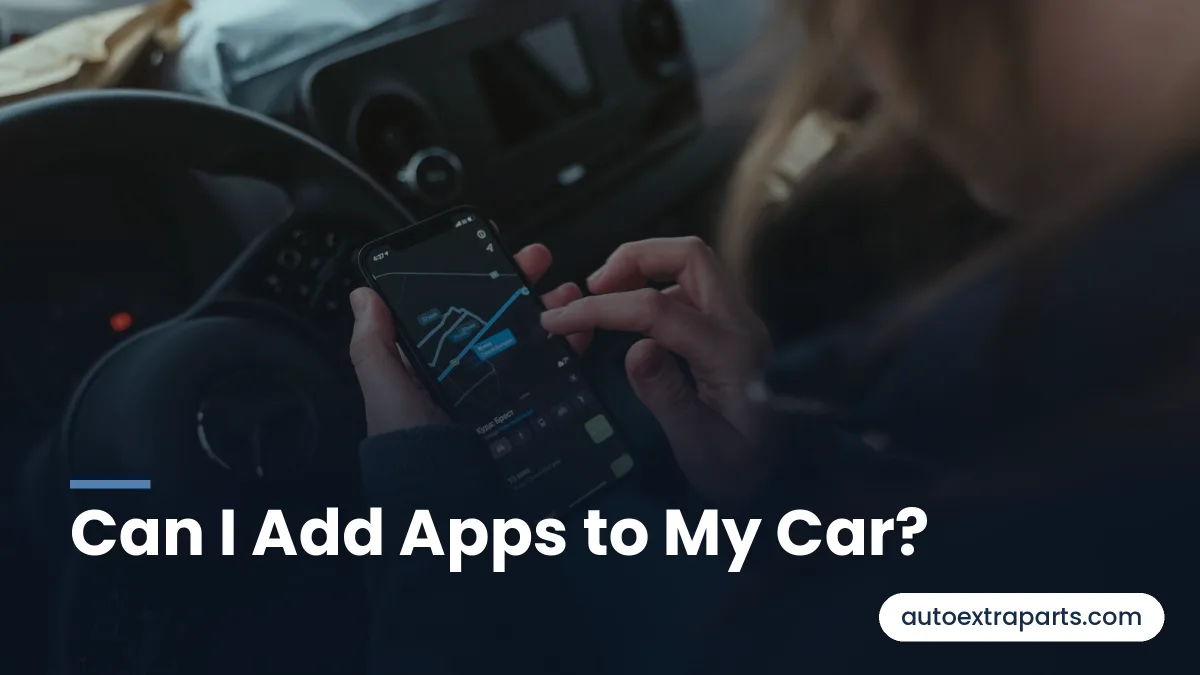
Can I Add Apps to My Car? through projection? Yes. Apple CarPlay and Android Auto are bridges. They copy your phone screen to your car. You use the car’s display and controls. But the apps run on your phone. This is not full car integration.
It is a mirror. You get your phone apps on the big screen. Maps, music, and messages work well. They use your phone’s data and power. You plug in via USB or go wireless. The car screen just shows the app. It does not store the app itself.
This method has clear limits. You can’t install new apps on the car. You can only use what is on your phone. If your phone runs out of battery, the apps stop. Projection also uses your phone’s processing power. It can drain your battery fast.
A long road trip may need a power bank. But for most drivers, this works great. It is safe and easy. You get app access without any extra cost. Just make sure your phone and car both support it.
Aftermarket Head Units and Sideloading for Full App Access
Aftermarket head units give you full control. You can sideload apps onto these units. This means adding apps from outside the store. You need a unit with Android or Linux. Brands like Pioneer and Alpine support this. You can run any Android app. A full media player or a custom dashboard tool.
You plug the unit into your car’s wiring. Then you set it up like a tablet. This path costs more. A new unit runs $300 to $1,000. But it gives you a blank canvas. You can make the dash your own.
Sideloading has real risks. You can brick your unit if you flash wrong files. A bricked unit means a dead screen. You may need a pro to fix it. It can also void your car’s warranty. The dealer may say the new unit caused issues. Security is another worry.
You might install a bad app. It could access your car’s data or your phone. Only sideload from trusted sources. Read user forums first. This path is for tech-savvy users. It is not for casual drivers.
Obd2 and Diagnostic Apps: Expanding Functionality Through the Data Port
The OBD-II port is a goldmine for car data. It sits under your dash, usually near the steering column. You can plug a small adapter into this port. That adapter links your phone to the car’s brain. This opens the door to a whole world of apps.
These apps read live sensor data from your engine. They can show you RPM, speed, fuel trim, and error codes. Some apps turn your phone into a full diagnostic tool. You can check why a check-engine light is on. You can track your fuel economy in real time.
Can I add apps to my car this way? Yes. You don’t need to touch the infotainment system. The OBD-II port is a dedicated data line. It works separate from your stereo or screen. This makes it a safe and clean way to add new features.
Risks, Security, and Warranty Considerations Before You Install
Adding apps is not always risk-free. Some methods can cause real problems. You need to know the downsides before you start. A bad flash or a wrong file can brick your head unit. That means your screen goes dark and won’t start up again.
There are also security risks with sideloaded apps. Free apps from unknown sites can carry malware. They might access your personal data or phone functions. You also risk voiding your factory warranty. Dealers can deny claims if they find unauthorized mods. They check the car’s memory for changes.
How to Choose the Right App Installation Method for Your Vehicle
Your choice depends on what your car can do today. Start by checking your factory manual. Look for mentions of Apple CarPlay or Android Auto. If your car has these, you can use projection mode. This is the easiest and safest path. You just mirror your phone screen.
If your car lacks those features, you have other options. An aftermarket head unit gives you full app access. It costs more, but it adds a modern app store to an old dash. For simple data needs, an OBD-II adapter is the cheapest fix. It adds diagnostic tools without changing your stereo at all.
| Method | App Access Level | Skill Needed | Cost Range | Risk to Warranty |
|---|---|---|---|---|
| Factory Infotainment Store | Built-in store only | Low | Included | None |
| Apple CarPlay / Android Auto | Phone apps mirrored | Low | Included | None |
| Aftermarket Head Unit | Full app store or sideload | Medium | $300–$1,500+ | Varies by installer |
| OBD-II Adapter | Diagnostic and data apps | Low | $20–$100 | None |
| Root / Jailbreak | Full system access | High | Varies | Almost certainly voided |
Frequently Asked Questions About Adding Apps to Your Car
Can I Add Apps to My Car Without Changing the Stereo?
Yes. If your car has Apple CarPlay or Android Auto, you can add apps right from your phone. The apps show up on your car screen through a cable or wireless link. You don’t need to touch the factory stereo at all. This keeps your setup clean and safe.
Will Adding Apps Drain My Car Battery?
Some apps can draw power, even when the car is off. Navigation and music apps use the most energy. A small OBD-II dongle uses very little power. To avoid a dead battery, unplug adapters when you park for long periods. This simple habit saves you from a jump-start.
Are Aftermarket App Stores Safe to Use?
Most major aftermarket systems scan apps for safety. But no store is 100% risk-free. Stick to well-known brands like Pioneer or Sony. Read user reviews before you download. Avoid any app that asks for strange permissions, like access to your contacts or texts.
Can I Remove Apps I Added Later?
Yes, in most cases. On CarPlay and Android Auto, you just delete the app from your phone. Aftermarket head units let you uninstall or disable apps in their settings. If you sideloaded a file, you may need a file manager app to find. Delete it from the system storage.
Do All Cars Have an Obd-Ii Port?
Nearly all cars sold in the U.S. since 1996 have an OBD-II port. It is a legal requirement. You will usually find it under the dash on the driver’s side. If you can’t locate yours, check your owner’s manual for the exact spot.
Final Thoughts and Next Steps
Can I add apps to my car? The answer is a clear yes. You have many paths to choose from. You can use projection modes, swap your head unit, or plug in a simple OBD-II dongle. Each method fits a different need and budget. The key is to match the method to your car and your goals. A safe start is to use what your car already supports.
Take a small step first. Try a free OBD-II app or connect your phone through CarPlay. See how it fits your daily drive. If you want more, plan a head unit upgrade with a trusted installer.
Always back up your car’s settings before any major change. Stay within your comfort zone and your warranty will stay intact. You’ll get the apps you want without the headaches.