Do You Have to Pay Monthly for Navigation in a Car
As an Amazon Associate we earn from qualifying purchases. Guides are for general information; always check your owner's manual and consult a qualified mechanic when unsure.
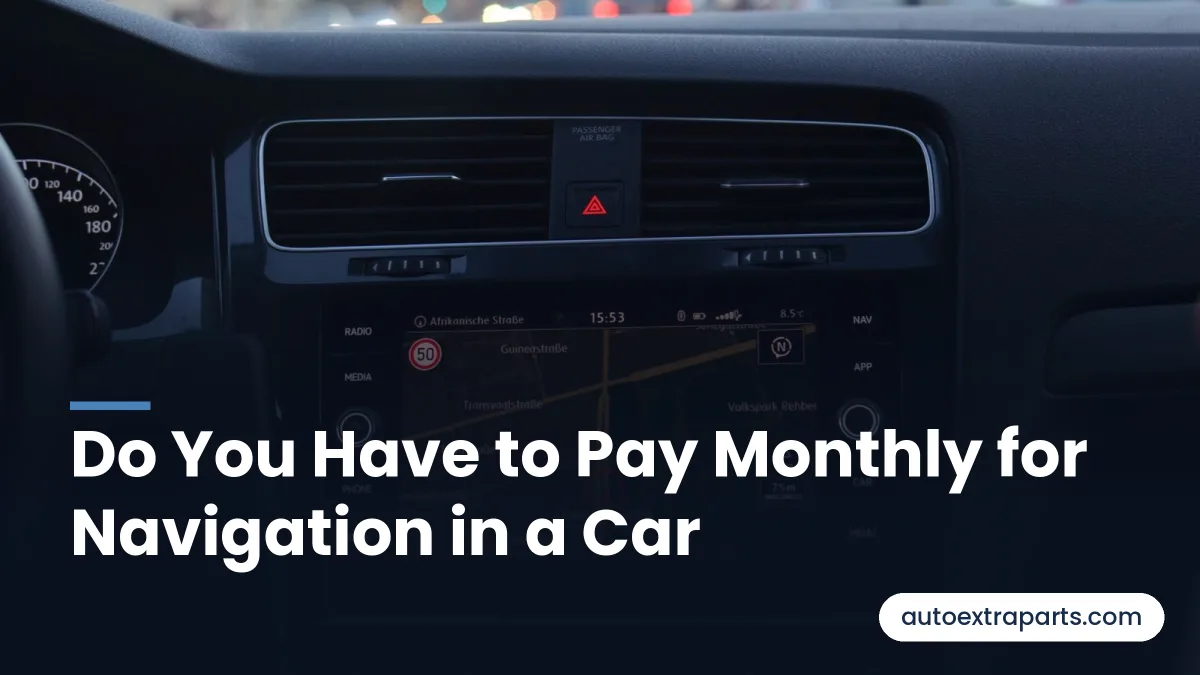
Do you have to pay monthly for navigation in a car? The short answer is: it depends. Your car, your brand, and your choices decide the cost. Some systems ask for a fee each month. Others let you use maps for free.
Smartphones changed how we find our way. Now, most drivers have a phone in hand. That phone can guide you for no extra cost. But factory systems still exist in many new cars. Always follow official safety and maintenance guidelines for best results.
They bring their own rules. This guide helps you find the truth. We will look at how each setup works. You will know what to expect. You will also learn how to save money. Let us clear up the confusion now. Do you have to pay monthly for navigation in a car? Keep reading to find out.
What You Need to Know First
Car navigation has changed a lot in ten years. Old GPS units sat on the dash. They worked without any monthly bill. New cars now have built-in screens. These screens connect to the internet. They can update traffic live. But live data often needs a fee. Some brands give you a free trial. After the trial ends, you pay up. Other brands never charge a cent.
- Your Phone: Your phone can fill the gap.
- Apple Carplay: Apple CarPlay and Android Auto help here.
- They Turn: They turn your phone into the brain.
- Car Screen Just: The car screen just shows the view.
- This Shift: This shift helps you dodge many fees.
- Do You Have: Do you have to pay monthly for navigation in a car?
- Answer Now Looks: The answer now looks clearer.
- Let Us: Let us break it down by system type.
- Each Path Has: Each path has its own cost story.
- Know Which Path You: You need to know which path you are on.
How Factory Navigation Systems Decide Whether You Pay Monthly
Factory nav systems live inside the car brain. They use a GPS antenna built into the car. The system finds your location fast. It also shows maps stored on a hard drive. But traffic updates need a data link. That link often means a monthly plan. Car makers call this a connected service.
The cost pays for live traffic data. It also pays for map updates. Some brands bundle navigation with a trial. You get three or five years free. When the trial ends, the bill starts. You must pay to keep live traffic.
Without it, the nav still works offline. But it cannot reroute around jams. The map data may grow old too. Older maps can lead you wrong ways. Do you have to pay monthly for navigation in a car?
With factory systems, the answer is often yes. The car maker controls the terms. You must check your owner’s manual. Look for the navigation section. It lists any monthly or yearly fees.
- GPS Antenna: Built into the car roof. It locks onto satellites for your raw location.
- Map Storage: Maps live on the car hard drive. They work without any internet link.
- Traffic Data: Live traffic needs a data plan. This is where most monthly fees come from.
- Map Updates: Free updates may stop after the trial. Some brands charge a fee to refresh maps.
The Apple Carplay and Android Auto Loophole That Eliminates Most Monthly Fees
Apple CarPlay and Android Auto changed the game. They let your phone talk to the car screen. The car screen becomes a simple mirror. All the smarts live inside your phone. You use Google Maps, Waze, or Apple Maps. These apps pull live traffic from the web. They give you free rerouting around jams.
No car maker subscription is needed. You just plug in or go wireless. CarPlay and Android Auto use your phone data plan. Your phone carrier handles the data cost. The car itself does not charge a fee. This path dodges most built-in nav costs.
Do you have to pay monthly for navigation in a car? If you use CarPlay or Android Auto, the answer is no. You only pay your phone bill. But there is one big catch. Some cars lock the nav screen while driving. They may not let you switch apps easily.
Check if your car allows free app use. Newer models from 2020 onward work well. Older models may need a cable plug. Wireless CarPlay adds a small hardware cost in some cars. Still, it beats paying a monthly nav fee.
- Phone Apps: Google Maps and Waze run free. They bring live traffic and rerouting at no cost.
- Wireless Link: CarPlay and Android Auto can link without a cable. It keeps your dashboard clean.
- Data Plan: Your phone handles the data. The car maker does not add a nav bill.
- Old Cars: Cars before 2018 may need a cable. The wireless link may not work.
Do You Have to Pay Monthly for Navigation in a Car: The Brand-By-Brand Breakdown
Each car brand writes its own rules. Some brands charge a flat monthly fee. Others give you free maps forever. Tesla stands out with free live traffic. BMW charges for its connected drive services. Ford uses a FordPass system with trials. Mercedes has a flexible pay-as-you-go plan. Audi ties maps to the MMI system. Volvo uses its Sensus platform.
Each system handles updates and data differently. Your brand choice changes your cost path. Do you have to pay monthly for navigation in a car? The brand you pick decides it. Here is how the big names break down. Look for your car maker in this list. It shows what you will pay or save. For complementary picks and expert testing advice, see our guide on How Do You Start a Car with a Lost Key? For Beginners.
- Tesla: Navigation is free with live traffic. No monthly fee for built-in maps.
- BMW: The BMW Connected Drive needs a fee. It includes live traffic and remote services.
- Mercedes: MBUX nav has a trial period. After that, you pay for live features.
- Ford: FordPass gives a free trial. Then you pick a plan or use phone apps.
Portable Gps and Third-Party Apps as the True Zero-Monthly Alternative
Plugging in a dedicated GPS device changes the cost game completely. You buy the unit once. You own the maps. No monthly bill follows.
Apps like Google Maps and Waze run on your phone. They pull data from your cell plan. But the apps themselves cost nothing. You can cast them to your car screen. Or you can mount your phone on the dash. Either way, you steer clear of car maker fees.
Some drivers still love old-school portable GPS units. Garmin and TomTom make great ones. They work without a cell signal. They give you turn-by-turn directions anywhere. That helps a lot in rural areas with bad coverage.
- Garmin Drive: It comes with free lifetime map updates. You never pay a recurring fee for map data.
- TomTom Go: It offers live traffic through your phone link. The base device costs money, but no monthly GPS subscription hits your wallet.
- Google Maps: It is free on your phone. It gives you live traffic and rerouting. You just need a data plan.
- Waze: It relies on other drivers to report road issues. It is free and very good for avoiding jams.
- HERE WeGo: It works fully offline. You download the maps ahead of time. Then you navigate without any data at all.
Hidden Costs and Trap Subscriptions Inside Modern Car Navigation
Many car makers hide fees inside their nav systems. They offer a free trial at first. Then they charge you every month. The trial often lasts three to five years. After that, the maps stop updating unless you pay.
Some brands split their services into tiers. Basic traffic might be free. Live rerouting and EV charging routes cost extra. You might not notice the charge until it hits your account. That is why you must read the fine print.
Another trap is the data plan for the car itself. Some cars need a connected service plan. Even if you use your phone for maps, the car’s built-in system may still need a paid plan to stay active. That adds an unexpected cost.
- OEM Trial Expiry: The free period ends silently. You start paying without warning if you do not cancel.
- Map Update Fees: Some brands charge yearly fees just to keep maps current after the trial ends.
- Traffic Data Tiers: Free traffic is basic. Live incident alerts and rerouting often sit in a paid tier.
- Connected Car Plans: The car’s Wi-Fi hotspot and remote start may bundle with nav fees. You pay for features you might not use.
- EV Routing Add-ons: Finding chargers is key for electric cars. Some makers charge extra for smart EV route planning.
How to Choose the Right Navigation Path Based on Your Driving Profile
Your driving habits should guide your choice. City drivers face heavy traffic and frequent rerouting. They benefit from live data and apps like Waze. A phone mount and a good data plan work well here.
Road trip drivers need steady offline maps. They may cross areas with weak cell signals. A portable GPS or a phone app with downloaded maps keeps them on track. They avoid the stress of losing direction in remote spots.
EV drivers need routing that includes charging stops. Not all nav systems handle this well. Tesla’s built-in nav does it smoothly. Other brands may need a third-party app that knows charger locations. For complementary picks and expert testing advice, see our guide on How Do You Use the Physical Key in a Push Start Car.
- City Commuter: You need live traffic and quick rerouting. Phone apps with a mount are the cheapest and smartest pick.
- Road Tripper: You need offline maps and wide coverage. A portable GPS or downloaded maps keep you safe in dead zones.
- EV Driver: You need charging station routing. Check if the car’s nav supports EV routing before you buy.
- Rural Driver: You need signal-free navigation. A dedicated GPS device works without any cell service at all.
- Budget Buyer: You want zero monthly fees. Stick with phone apps or a one-time GPS buy. Skip factory nav subscriptions.
Navigation Path Comparison at a Glance
| Path | Upfront Cost | Monthly Fee | Works Offline | Best For |
|---|---|---|---|---|
| Factory Nav w/ Sub | Included in car | Yes (after trial) | Partial | New car buyers wanting built-in ease |
| Apple CarPlay / Android Auto | Free | None for nav | No (needs data) | Smartphone users in cities |
| Portable GPS (Garmin/TomTom) | $100–$400 | None | Yes | Road trippers and rural drivers |
| Phone Apps (Google/Waze) | Free | None (data plan needed) | With downloads | Budget-conscious daily drivers |
| EV-Only Nav (Tesla, etc.) | Included in EV | Varies | Partial | Electric vehicle owners |
Common Questions
Can I Use My Phone for Free Nav in Any Car?
Most cars made after 2015 support Apple CarPlay or Android Auto. You plug in or go wireless. The app runs on your phone. The car screen just shows the map. You do not pay the car maker for the nav feature itself.
What Happens When My Factory Nav Trial Ends?
- System Stops Offering: The system stops offering live traffic and map updates.
- Basic Directions: Basic directions may still work.
- Some Brands Lock: Some brands lock advanced features until you pay a monthly fee.
- Often Switch: You can often switch to a phone app to avoid this cost.
Do Portable Gps Units Need a Data Plan?
No. Dedicated GPS units use satellites. They do not need cell service for core directions. Some models offer live traffic through a phone link. But the base navigation works completely offline with no monthly fee.
Is Tesla Navigation Free Forever?
Tesla includes navigation with the car. It does not charge a monthly fee for maps or routing. Live traffic data uses your phone’s data connection. The built-in nav system stays free to use.
How Do I Avoid Hidden Nav Fees When Buying Used?
Ask the seller if the car has a nav subscription. Check the user manual for the nav system brand. Search online for the model’s subscription terms. You can often disable the paid service and use a phone app instead.
Final Thoughts and Next Steps
Do You Have to Pay Monthly for Navigation in a Car? The answer depends on your car, your brand, and your choices. Many new cars push you toward paid subscriptions. But you have strong, free, or one-time-cost alternatives. Phone apps and portable GPS units put you in control. You pick the path that fits your wallet and your drives.
Take a look at your current car setup. Check if you are paying for a trial that has ended. Then weigh the options above. A portable GPS or a free app can save you real money over time. You do not need to feed a monthly fee just to find your way. Make the choice that keeps your drives smooth and your costs clear.