How to Master 7 Inch Car Music System Step by Step
As an Amazon Associate we earn from qualifying purchases. Guides are for general information; always check your owner's manual and consult a qualified mechanic when unsure.
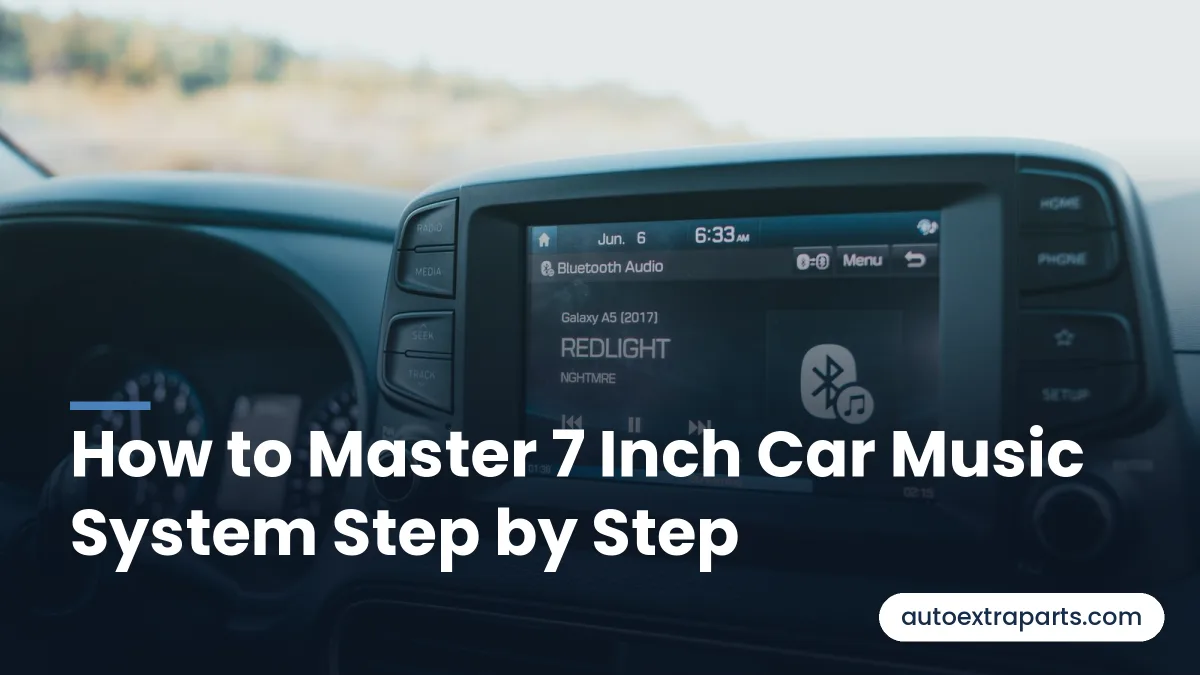
A 7 inch car music system can change your whole drive. It brings a big screen into a tight dash space. You get maps, music, and apps right at hand. But picking the right one takes some thought. Not all units fit every car or need.
You must check your dash size first. A double DIN slot gives you more room. A single DIN with a flip screen works too. Each path has clear ups and downs. This guide helps you sort through them fast. Always follow official safety and maintenance guidelines for best results.
We will look at how to pick the right shape. We will also cover wiring, screen quality, and setup. A good 7 inch car music system should feel easy to use. It should not freeze or lag when you tap it. Let us walk through the choices step by step.
Navigating the 7 Inch Car Music System Decision Tree
Start with your vehicle. Pop the hood and look at the radio slot. Is it a double DIN size or a single DIN? That choice cuts your options in half. A 7 inch car music system may not fit a small dash without extra work.
Next, think about your main use. Do you need live traffic maps? Do you stream Spotify or Apple Music? If you rely on your phone, pick a unit with CarPlay or Android Auto. If you just want clean sound, focus on the audio parts. For complementary picks and expert testing advice, see our guide on 10 Inch LCD Screen for Car Best Options and Reviews.
Then check your factory controls. Some cars keep steering wheel buttons with a CAN-bus adapter. Others lose all controls if you swap the radio. This step stops a lot of headaches later. A proper dash kit keeps the trim from wobbling or cracking.
- Check Dash Opening: Measure the slot width and height before you shop.
- Map Your Use Case: Decide if you need navigation, streaming, or just music.
- Verify Wiring Match: Confirm your car has an ISO harness plug.
- Test Steering Links: Ensure a CAN-bus adapter keeps your wheel controls live.
Single Din vs Double Din: Which 7 Inch Form Factor Fits Your Dash
A double DIN unit fills a large factory slot. It gives you a big fixed touchscreen. Many 7 inch car music system models live here. The screen stays put and feels solid while you drive.
A single DIN slot is much smaller. You can still get a 7 inch screen, but it flips or slides out. This can save space in tight dashes. However, moving parts may wear out over time.
Double DIN units often have more power inside. They may offer built-in amps or DSP features. Single DIN flip screens are simpler to install. Both paths can sound great when paired right.
- Double DIN Fixed: Offers a sturdy, large screen with deep features.
- Single DIN Flip-Out: Saves dash space and hides the screen when off.
- Power Headroom: Double DIN units often have stronger built-in amps.
- Moving Parts Risk: Flip screens can develop wobble or grind over time.
Connectivity and Protocol Choices for a 7 Inch Car Music System
Your phone talks to the head unit through protocols. Apple CarPlay and Android Auto are the top two now. They let you use maps, calls, and music safely. A good 7 inch car music system should support both without lag.
Wired connections feel faster and more stable. Wireless options add ease but may add a small delay. If you care about fast response, use a USB cable. Some units also support Bluetooth for older phones.
Do not forget about your car’s data bus. Many new cars use a CAN-bus system. Plugging in the wrong unit can trigger warning lights. A proper CAN-bus adapter keeps your dash messages working. It also preserves your factory parking sensors and settings.
- CarPlay and Android Auto: Must-have for live maps and hands-free calls.
- Wired vs Wireless: Wired USB gives lower latency and steadier playback.
- CAN-Bus Adapter: Prevents dashboard error lights after you swap the radio.
- Bluetooth Backup: Good for older phones that lack smart OS support.
Installation Mechanics and Vehicle-Specific Fitment for a 7 Inch Car Music System
Installing a 7 inch car music system starts with removal. You need OEM radio removal keys for most brands. These small U-shaped tools pop the factory radio out cleanly. Never pry with a flat screwdriver. You can crack the trim clips easily.
Next, check the wiring harness. A standard ISO harness plugs in with color-matched wires. If your car has a factory amp, you may need an adapter. A DSP amplifier can also boost sound after install. It cleans up harsh treble and adds depth to bass.
Dash kits are the unsung hero here. They fill the gap between the new unit and your dash. A tight fit keeps rattles out at highway speed. It also holds the screen steady so it does not shift on bumps.
- OEM Removal Keys: These prevent trim damage when pulling the factory radio.
- ISO Wiring Harness: A color-matched plug cuts most of the guesswork out.
- Amp Adapter: Needed if your car has a separate amp behind the stock radio.
- Dash Trim Kit: Fills gaps and stops rattles at high speeds on rough roads.
Audio Processing, Codec Support, and Source Quality in a 7 Inch Car Music System
Sound quality starts with the gear you pick. A good 7 inch car music system handles files with care. Cheap units often squash detail and add hiss. They use low-grade digital-to-analog converters inside. This makes music sound flat and dull.
Better units use higher-grade parts inside. They preserve the subtle texture in songs. You hear more air between instruments. Vocals sound smoother and more natural too.
Codec support matters a lot for your ears. Some players only read MP3 and AAC files. Those formats work fine for casual listening. But they drop data to save space. If you store FLAC or WAV files, check the unit.
Many mid-range 7 inch car music system units now read FLAC. This format keeps all the original studio data. It means less compression and more detail. You get a cleaner, more open sound stage.
- FLAC Codec Support: Lossless files keep full studio data intact.
- DSP Amplifier Integration: Built-in tuning adjusts EQ for your car cabin.
- High-Resolution Audio: Units with 24-bit processing reveal subtle track layers.
- Signal-to-Noise Ratio: Higher SNR specs mean less background hiss during quiet passages.
- File Format Compatibility: Always confirm WMA, ALAC, and APE support before buying.
Common Failure Points and Long-Term Reliability of a 7 Inch Car Music System
Heat kills car electronics faster than anything else. The dash area traps oven-like heat in summer. A 7 inch car music system sits right in that heat pocket. Capacitors inside can swell and fail early. This causes crackling, volume drops, or total silence.
Cheap units use small, low-temp capacitors. They often give out after two hot seasons. Better brands use high-temp rated parts. They handle the under-dash heat much better.
Touchscreen failure is another common problem. Resistive screens wear out with constant pressing. Capacitive screens can drift or ghost-touch. Dust and moisture creep in around the edges. Over time, this causes erratic screen behavior. For complementary picks and expert testing advice, see our guide on Essential Guide to 4 Inch Car Woofer for Beginners.
Some units lose their Wi-Fi chip too. The radio may drop connection to your phone. Firmware updates can patch bugs early on. But old software often stops getting support after a few years. You want a brand that still releases updates.
- Capacitor Health: High-temp rated caps last longer in hot dash spaces.
- Screen Degradation: Resistive touch layers scratch and lose accuracy over time.
- Firmware Support: Check if the maker still pushes updates for your model.
- Antenna Port Wear: Loose FM antenna plugs cause static and dropouts.
- Power Supply Stress: Voltage spikes from the car electrical system can fry the board.
Practical Methods for 7 Inch Car Music System Selection and Installation
Start with your vehicle’s manual in hand. Check the dash opening size first. A 7 inch car music system needs a clean fit. Measure the slot width and depth carefully. Note the mounting screw positions too.
Then check the wiring harness behind your old radio. Match it to an ISO plug adapter. This avoids cutting factory wires entirely. You keep the original car wiring safe and clean.
Next, decide on your must-have features. Do you need CarPlay or Android Auto? Those require a USB-C port and good processing speed. Pick a unit with a fast chipset. Slow units lag when switching apps.
This can distract you while driving. Also look for a built-in DSP. It saves you from buying a separate amplifier. A good DSP shapes the sound to your car’s interior. It fixes speaker timing and frequency response issues.
- Vehicle Fitment Check: Use a dash kit to confirm the 7 inch unit sits flush.
- Harness Matching: An ISO harness adapter prevents cutting original factory wiring.
- Feature Prioritization: List CarPlay, Android Auto, or Bluetooth as your top needs.
- DSP Built-In: Saves space and cost versus adding an external amplifier.
- Trim Retention: A quality dash kit holds your console piece firmly in place.
Before you buy, watch two or three install videos. Real-world clips show hidden screw locations. They also reveal tricky wire routing paths. This prep work saves you from surprises. It keeps the install day smooth and fast.
Screen Resolution and Touch Response in a 7 Inch Car Music System
The screen is the main part you touch. A 7 inch car music system needs a sharp panel. Low resolution makes maps and text look blurry. You squint at small buttons while driving.
Capacitive touch screens respond to a light tap. They feel fast and modern like a phone. Resistive screens need more pressure. They can fade or lose accuracy over time.
Brightness matters a lot in daylight. A dim screen hides map details in sun. Look for units with high nits rating. This keeps the display clear on bright roads.
Anti-glare coatings cut down on reflections. They make the screen easier to read. Some units also add a matte finish. This reduces fingerprints and smudges on the glass.
- Resolution Check: Aim for at least 800 by 480 pixels.
- Capacitive Touch: Gives a fast and precise response to your finger.
- Daylight Brightness: Higher nits keep the screen clear in sun.
- Anti-Glare Coat: Reduces reflections and makes maps easier to read.
Power Requirements, Grounding, and Electrical Safety for a 7 Inch Car Music System
A 7 inch car music system draws power from your car battery. The head unit needs a constant 12V line. It also needs a switched 12V line for ignition. These two wires turn the unit on and off with your car.
Bad grounding causes hum and static in the speakers. The ground wire must attach to clean metal. Paint or rust on the chassis breaks the connection. Use a sandpaper to scrape the spot first.
Voltage spikes from the alternator can hurt the unit. A small inline fuse near the battery helps. It protects the whole head unit from surges. Never run the unit with loose or frayed wires. For complementary picks and expert testing advice, see our guide on 10 Inch LCD Screen for Car.
- Constant 12V Wire: Keeps memory and settings alive when the car is off.
- Switched 12V Wire: Turns the unit on with the ignition key.
- Clean Ground Point: Scrape paint off the metal for a solid ground path.
- Inline Fuse: Protects the head unit from sudden power spikes.
7 Inch Car Music System Comparison Table
| Spec / Feature | Budget Unit | Mid-Range Unit | Premium Unit |
|---|---|---|---|
| Screen Size | 7 inch capacitive | 7 inch capacitive | 7 inch HD capacitive |
| FLAC / Hi-Res Support | No | Yes | Yes |
| Built-In DSP | No | Yes | Yes, multi-channel |
| CarPlay / Android Auto | No | Yes, wireless | Yes, wireless |
| Warranty Length | 1 year | 2 years | 3 years |
| High-Temp Capacitors | No | Yes | Yes |
Frequently Asked Questions
Can I Install a 7 Inch Car Music System Myself?
Yes, if you have basic tool skills and patience. You need a dash kit, wiring harness, and radio removal keys. Follow a vehicle-specific install video first. It helps you avoid breaking trim clips. Take photos of the old wiring before you disconnect anything.
Does a 7 Inch Screen Fit All Cars with a Single Din Slot?
No. Single DIN slots are taller but not always wide enough. A 7 inch flip-out unit works best in single DIN setups. Double DIN slots easily hold a 7 inch screen. Always measure your dash opening before ordering any unit.
Why Does My New 7 Inch Car Music System Show a Black Screen at Startup?
This often means the ignition wire is not connected right. Some units need a constant 12V and a switched 12V wire. Check the wiring harness manual for the correct pinout. A loose ground wire can also cause this black screen issue.
Is Bluetooth Audio Good Enough for a 7 Inch Car Music System?
Bluetooth works well for phone calls and casual music. But it compresses audio and adds slight latency. For high-quality music files, use a USB direct play or FLAC over AUX. Bluetooth is fine, but not ideal for critical listening.
How Long Should a 7 Inch Car Music System Last Before Failing?
A quality unit from a known brand lasts five to seven years. Cheap no-name units often fail within two years. Heat exposure and voltage spikes shorten that life. Regular firmware updates also help keep the unit stable longer.
Final Thoughts and Next Steps
Picking the right 7 inch car music system comes down to fit and features. Check your dash size and wiring harness first. Then decide which connectivity options matter most to you. A good screen and clean sound make every drive better. Take the time to match the unit to your car. The right choice keeps you safe and entertained on the road.
Plan your install day when you have a full afternoon. Gather all your tools and the vehicle manual. Work slowly and double-check each wire connection. A careful install prevents loose wires and rattles later. Enjoy the new sound in your car once it is all set up.