Can I Get an App for My Car? Tips and Best Practices
As an Amazon Associate we earn from qualifying purchases. Guides are for general information; always check your owner's manual and consult a qualified mechanic when unsure.
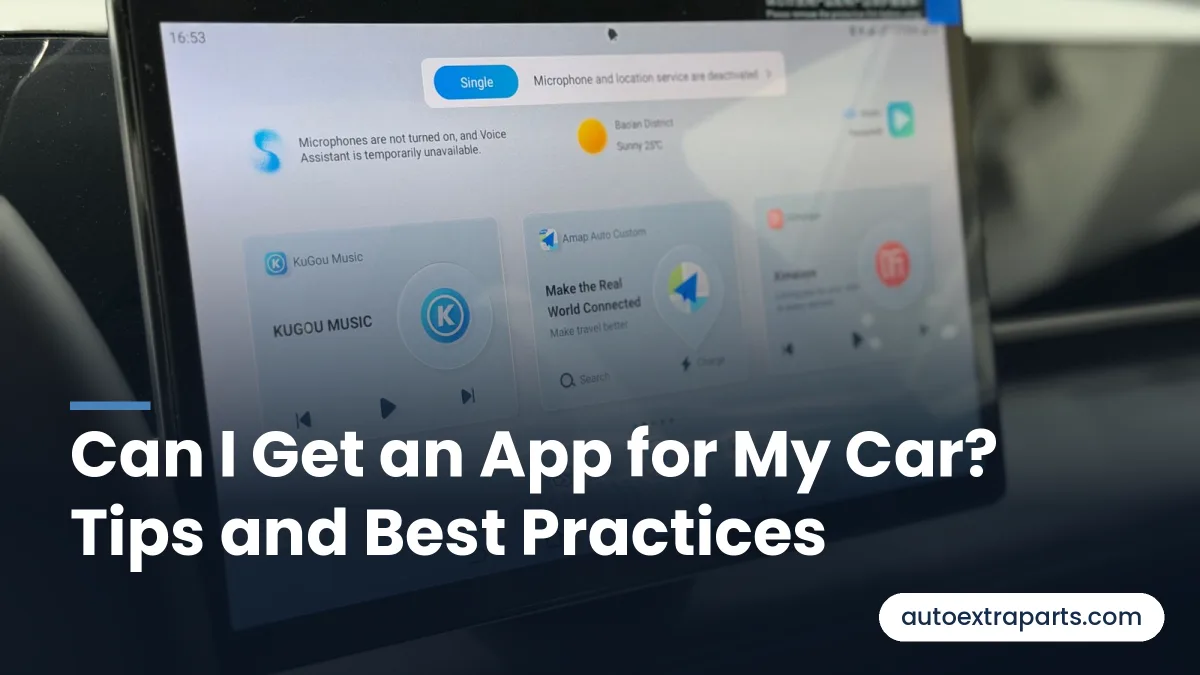
You want to know if you can add an app to your car. When it comes to Can I Get an App for My Car?, having steady, tested guidance makes all the difference. The answer is not a simple yes or no. It depends on your car’s age, make, and built-in tech. Some new models let you download apps right to the screen.
Older cars may need extra hardware to work with apps. This guide will help you find your path. We will look at native options, hardware add-ons, and the DIY developer route. Let us break down what is possible for your ride. Always follow official safety and maintenance guidelines for best results.
The Compatibility Decision Tree: Does Your Car Speak the Right Language?
Your car’s brain uses specific protocols to talk. Newer cars use CAN bus systems. Older cars use the OBD-II standard. You must know which one your car has. This decides what apps can connect. A Ford from 2010 speaks a different language than a 2023 Tesla. The app needs to match that dialect. Check your owner’s manual or a repair guide for the protocol type.
Some makers lock their systems tight. They do not want outside apps to change settings. Others leave the door open. You can check online forums for your car model. Owners often share what works and what does not. This saves you from buying useless hardware.
- OBD-II Port: A standard plug found under the dash since 1996. Many apps use this to read engine data.
- CAN Bus: A faster network in newer cars. It handles complex tasks like braking and infotainment.
- Closed ECU: A locked computer. The maker blocks outside access for safety or profit.
- Open API: A public gateway. Makers like Tesla let approved apps talk to the car.
Native Manufacturer Apps vs. Open-Source Alternatives: A Functional Breakdown
Most car brands offer their own free app. FordPass lets you start your car from your phone. Hyundai Bluelink can check tire pressure remotely. These apps work best with your specific model. They use the built-in cellular modem in your car. You get deep access to features like locks and climate control.
Open-source apps are a different beast. They often rely on a physical dongle plugged into the OBD-II port. These dongles cost between $20 and $100. They talk to a generic server you control. You get raw data without the maker’s subscription fees. The trade-off is less polish and fewer features.
- FordPass: Ford’s official app for start, lock, and locate features.
- Hyundai Bluelink: Offers remote start and smart alerts for Hyundai owners.
- Torque Pro: A popular open-source app that reads live engine data via a dongle.
- OpenXC: A free platform from Ford for building custom car apps.
Can I Get an App for My Car?: Essential Steps for Aftermarket Hardware Integration
Yes, you can add app support to almost any car with an OBD-II port. You will need a fit hardware dongle. A standard Bluetooth adapter works for basic reading. Wi-Fi dongles offer a stronger, more stable connection. You plug the dongle into the port under your steering wheel.
Anyone comparing Can I Get an App for My Car? will notice clear differences during routine use. Next, you pair the dongle with your phone. Download the app that matches your dongle brand. Follow the setup guide inside the app. It will ask you to grant permissions for location and data. Once paired, you can see live engine stats on your screen.
- Buy a Dongle: Pick a Bluetooth or Wi-Fi OBD-II adapter that fits your budget.
- Locate the Port: Find the OBD-II plug under the driver’s side dash.
- Plug and Pair: Insert the dongle and connect your phone to its signal.
- Choose the App: Download the app that matches your dongle’s brand or protocol.
Reading the Ecu: Diagnostic and Performance App Capabilities by Protocol
The ECU controls your engine’s timing and fuel mix. Apps can read error codes from this computer. A generic OBD-II app can show you the check engine light reason. It can also display live data like RPM and speed. More advanced apps can clear minor fault codes after a fix.
CAN bus protocols allow deeper access. These systems manage safety features and advanced driver aids. A CAN bus sniffer tool can read this raw data. It is used by pros to debug complex issues. You can buy these tools, but they cost more. They also require technical skill to interpret the data.
- OBD-II Codes: Standard error codes that explain engine light triggers.
- Live Data: Real-time sensor readings like coolant temp and oxygen levels.
- CAN Sniffing: Capturing raw network traffic for advanced CAN bus analysis.
- ECU Reflash: Updating the car’s firmware to change engine power maps.
The Developer Path: Building an App When No Official Api Exists
Some car makers provide no official app tools. You can still build an app if you know how. You need a CAN bus sniffer device. This tool captures the messages your car’s computer sends. You record these messages and decode their meaning.
You then write software that sends messages back. This lets your app control functions or display custom data. You must learn the specific message format for your car model. Open-source projects online can help you get started. This path is hard but gives you total control.
- Sniff the Bus: Capture raw CAN messages to understand the car’s data format.
- Decode Frames: Figure out which bytes control specific car functions or sensors.
- Write the Code: Build the app control and the logic to send commands.
- Test Safely: Always test on a bench or parked car to avoid accidents.
Security and Warranty Risks: The Real Cost of Third-Party Car Apps
Third-party car apps can open doors. They can also let in risks you did not expect. Your car’s computer controls safety systems. Bad code can mess with those systems.
Some apps need deep access to your car’s brain. This access can bypass factory safety locks. A glitch in a third-party app might cause real harm. You could lose power steering or brakes mid-drive.
- Warranty Voiding: Dealers can deny claims if they find unauthorized apps or hardware. They link the issue directly to third-party changes.
- Data Theft: Many apps collect your location, driving habits, and personal info. Poorly secured apps leak this data to bad actors.
- System Crashes: A bad app can freeze your infotainment screen. In worst cases, it can disrupt critical driving modules.
- Remote Exploits: Hackers can target connected car apps. They might gain control of doors, locks, or engine functions remotely.
You must weigh the cool features against the real dangers. A fun dashboard mod is not worth a safety failure. Always ask what data the app sends out.
Check your owner’s manual for the warranty terms. Some makers allow apps. Others treat any change as a breach. Know your stance before you install.
Future-Proofing: How Ev and Connected Car Architectures Are Changing App Access
Electric cars are changing the app game fast. They have more computers than old gas cars. These computers talk to the cloud and your phone. For complementary picks and expert testing advice, see our guide on Can I Add Apps to My Car?.
New EV models often use open API standards. Tesla was one of the first to open its API. Other makers are slowly following this path. You can now build or find apps for more features.
- Tesla API: Tesla offers a public API for data and controls. You can track location, charge status, and climate settings with code.
- Over-the-Air Updates: EVs get software updates over Wi-Fi. This means new app features can arrive without a dealer visit.
- Unified Networks: Most new EVs use one network inside the car. This makes it easier for apps to talk to all parts.
- Open Standards: Groups are pushing for open car data standards. This could let any app work with any car brand soon.
The future looks bright for custom car apps. Old cars will stay hard to hack. But new EVs and smart cars will offer more freedom. You can expect more tools and options each year.
Can I Get an App for My Car? The answer for new EVs is often yes. The path is clearer and the tools are growing fast.
Practical Methods for Can I Get an App for My Car?
You can take clear steps to get an app for your car. Start by knowing what your car already has. Then fill the gaps with hardware or software.
Your first move should be to check the app store. Look for apps made for your exact car model. Many popular brands have official or community apps ready to go.
- Check Your Manual: Find the model year and trim level. Look up the infotainment system name in the manual index.
- Search App Stores: Use your phone’s app store. Search for your car brand name and read the app reviews carefully.
- Buy a Dongle: Plug a Bluetooth OBD-II dongle into your car. Pair it with a phone app to read live engine data.
- Use Android Auto: If your car supports it, Android Auto adds new app screens. You can use maps, music, and messaging apps safely.
These steps work for most cars made after 2005. You do not need to be a tech wizard to start. You just need the right tool for the job.
For newer cars, check if the maker offers a developer kit. Tesla, Ford, and Hyundai all have some form of API access. You can build a simple app with their tools.
| Stage / Task | Key Action to Take | Recommended Frequency | Priority |
|---|---|---|---|
| Initial Setup & Prep | Clear workspace, inspect parts, and check baseline settings | Before Each Session | Easy |
| Surface & Filter Care | Wipe exterior surfaces and rinse or tap out dust traps | Weekly | Easy |
| Deep Part Inspection | Check seals, moving joints, and air paths for wear | Monthly | Moderate |
| Full Consumable Check | Replace worn belts, filters, or seals to keep peak power | Every 6 Months | High |
Frequently Asked Questions
Can I Get an App for My Car If It’s a 2003 Model?
Yes, but you will need an OBD-II adapter. Most cars from 1996 onward have an OBD-II port. You plug a small dongle into that port. The dongle sends data to a phone app. You will get basic engine reads, but not full control.
Does Adding a Third-Party App Void My Car Warranty?
It can, if the app causes a problem. Dealers look for proof that changes led to a failure. A simple read-only app is low risk. An app that changes engine settings is a big risk. Always check your warranty fine print first.
What Is the Safest Way to Try a Car App?
Start with a read-only OBD-II app. These apps only look at data. They do not send commands to your car. Pick a well-known app with good reviews. This keeps your car safe while you learn.
Are Ev Apps Different From Gas Car Apps?
Yes, EV apps have more features. They can track battery health, charge rates, and range. Many EV makers offer open APIs for developers. This makes EV apps more strong and easier to build. For complementary picks and expert testing advice, see our guide on Can I Change the Sound System in My Car? For Beginners.
Can I Build My Own Car App Without Coding Skills?
Yes, some tools need no coding. App builders let you link OBD-II data to simple screens. You can drag and drop buttons and gauges. But deep features require coding knowledge. Start simple and learn as you go.
Final Assessment: Is a Car App Worth the Engineering Effort?
The answer depends on what you want to do. A simple diagnostic app is easy to set up. It costs under fifty dollars and gives quick reads. That is a low-risk way to start.
- Building a Full Control: Building a full control app takes real work.
- Learn Can Bus: You need to learn CAN bus protocols.
- Test Code Safely: You must test code safely to avoid crashes.
- Payoff Is: The payoff is a custom tool built just for you.
Can I Get an App for My Car? For most people, the answer is yes. You can buy a dongle and use a ready-made app today. For tinkerers, the path leads to deeper projects and real skills.
Start small. Use a cheap OBD-II reader and a free app. See what data you can pull. Then decide if you want to go deeper into building your own tools.
Final Thoughts and Next Steps
Getting an app for your car is not a yes or no answer. It is a path you walk step by step. You check your car’s brain first. Then you pick the right tool for the job.
Start with a simple OBD-II dongle and a free app. See what data you can pull from your engine. That small step tells you a lot about your car’s health.
If you want more, look at your car maker’s developer tools. Some brands give you real API access. Others keep their systems locked tight. Know where your car stands on that scale.
Stay safe as you explore. Never install an app that changes safety settings without testing it first. A fun project should not put you or others at risk.
Your car is smarter than you think. With the right app, you can unlock new insights and features. Take it one step at a time and enjoy the ride.